Lab 5: LED Binary Counter
Now you'll use four LEDs to display binary numbers from 0-15. This teaches binary representation and automated bit pattern generation.
Learning Objectives
By the end of this lab, you will:
- 🎯 Understand binary number representation (0-15 = 0000-1111)
- 🎯 Map binary digits to LED states (0=OFF, 1=ON)
- 🎯 Implement bit extraction from counter values
- 🎯 Create automated sequencing loops
- 🎯 Display data patterns on hardware
Prerequisites
- ✅ Complete Labs 1-3 (GPIO output control)
- ✅ Understand binary numbers (0-15)
- ✅ Familiar with for loops in C
Hardware Required
| Component | Details |
|---|---|
| Microcontroller | STM32F407VG |
| LEDs | PD12, PD13, PD14, PD15 (binary display) |
Theory: Binary Display
Binary Numbers 0-15
Decimal  Binary   LED15 LED14 LED13 LED12
   0      0000      0     0     0     0
   1      0001      0     0     0     1
   2      0010      0     0     1     0
   3      0011      0     0     1     1
   4      0100      0     1     0     0
   5      0101      0     1     0     1
   ...
  15      1111      1     1     1     1
Displaying a Number
To display number 5 (binary 0101):
- LED15 (bit 3): 0 → OFF
- LED14 (bit 2): 1 → ON
- LED13 (bit 1): 0 → OFF
- LED12 (bit 0): 1 → ON
Demo
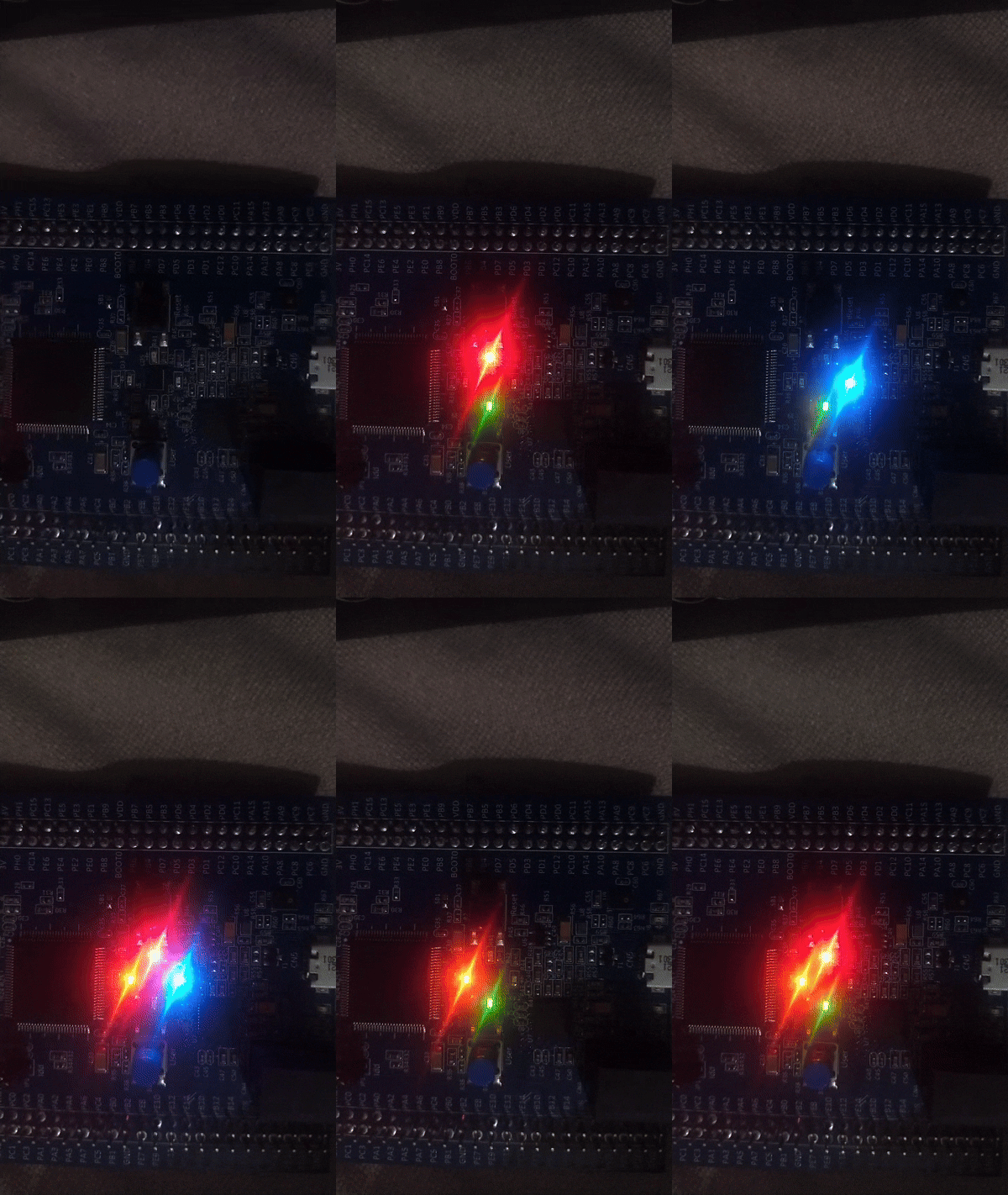
LEDs counting from 0 to 15, displaying binary patterns
Complete Code
#define RCC_BASE 0x40023800UL
#define RCC_AHB1ENR *(volatile unsigned int*)(RCC_BASE + 0x30U)

#define GPIO_D_BASE 0x40020C00UL
#define GPIOD_MODER *(volatile unsigned int*)(GPIO_D_BASE + 0x00U)
#define GPIOD_ODR   *(volatile unsigned int*)(GPIO_D_BASE + 0x14U)

void led_delay(void) {
    for (volatile int i = 0; i < 300000; i++);
}

int main(void) {
    // Enable GPIOD clock
    RCC_AHB1ENR |= (1U << 3);

    // Configure PD12-PD15 as outputs
    // Clear bits [31:24]
    GPIOD_MODER &= ~(0xFF << 24);
    // Set to output mode: 0x55 = 0101_0101 (all 01)
    GPIOD_MODER |= (0x55 << 24);

    while (1) {
        // Count from 0 to 15
        for (int i = 0; i < 16; i++) {
            // Clear LED bits [15:12]
            GPIOD_ODR &= ~(0xF << 12);
            // Set bits to display number i
            GPIOD_ODR |= (i << 12);

            led_delay();
        }
    }

    return 0;
}
Algorithm
Loop forever:
  For i = 0 to 15:
    ├─ Clear LED output bits
    ├─ Set output to i (automatically places bits)
    ├─ Delay to display
    └─ Repeat with next i
Expected Output
LED Display (PD15 PD14 PD13 PD12):
├─ 0000 (dec 0)
├─ 0001 (dec 1)
├─ 0010 (dec 2)
├─ 0011 (dec 3)
├─ ...
├─ 1110 (dec 14)
├─ 1111 (dec 15)
└─ Loop repeats
Timing: Each number displayed for ~1 second.
Common Mistakes
| Issue | Solution |
|---|---|
| LEDs don't light correctly | Verify MODER = 0x55 sets all pins to output |
| Wrong count range | Check for loop: should be i < 16 not i < 15 |
| LEDs don't clear | Verify &= ~(0xF << 12) clears all 4 bits |
| Numbers display wrong | Pin numbering - check if PD12 is rightmost |
Key Takeaways
✨ Important:
- 4 LEDs can display 0-15 (2^4 = 16 values)
- Bit shifting (
<< 12) automatically aligns number to pins - Clear then set ensures clean state changes
- For loops automate counting sequences
- Binary patterns are fundamental to digital systems
Challenge Exercises
Challenge 1: Countdown
Display numbers 15 down to 0 (reverse order).
Challenge 2: Odd Numbers Only
Display only odd numbers (1, 3, 5, 7, 9, 11, 13, 15).
Challenge 3: Fibonacci Sequence
Display Fibonacci numbers on LEDs (0,1,1,2,3,5,8,13).
Next Steps
🚀 Ready for Lab 5.1? Add button control to the binary counter - increment on each button press!
Prerequisites for Lab 5.1: Binary counter operation, Button debouncing