Lab 3: Switch Input → LED Control
Now you'll learn GPIO input by reading a push button and using it to control an LED. This introduces input reading and conditional logic in embedded systems.
Learning Objectives
By the end of this lab, you will:
- 🎯 Understand GPIO input configuration using MODER register
- 🎯 Read GPIO pins using the IDR (Input Data Register)
- 🎯 Implement conditional LED control based on button state
- 🎯 Use if-else logic for digital input processing
- 🎯 Control output from input states
Prerequisites
- ✅ Complete Labs 1-2 (GPIO output, bitwise operations)
- ✅ Understand GPIO pin configuration (MODER register)
- ✅ Familiar with if-else statements in C
Hardware Required
| Component | Details |
|---|---|
| Microcontroller | STM32F407VG (STM32F4 Discovery) |
| Button | PA0 (user push button on board) |
| LED | PD12 (red LED on board) |
| Connection | Onboard - no external wiring needed |
Theory: GPIO Input Reading
Input vs Output
MODER Register (2 bits per pin):
- 00 = Input (HIGH-Z, can read level)
- 01 = General Purpose Output (can write level)
- 10 = Alternate Function
- 11 = Analog

For input: MODER bits = 00 (default/cleared)
Reading the IDR Register
// IDR = Input Data Register at offset 0x10
#define GPIOA_IDR *(volatile unsigned int*)(GPIO_A_BASE + 0x10U)

// Read pin 0 state:
if (GPIOA_IDR & (1 << 0)) {
    // Pin is HIGH (button pressed)
} else {
    // Pin is LOW (button released)
}
Logic Flow
┌─ Read PA0 ?
├─ PA0 = HIGH → Button pressed → Turn ON LED
├─ PA0 = LOW → Button released → Turn OFF LED
└─ Repeat continuously in while loop
Demo
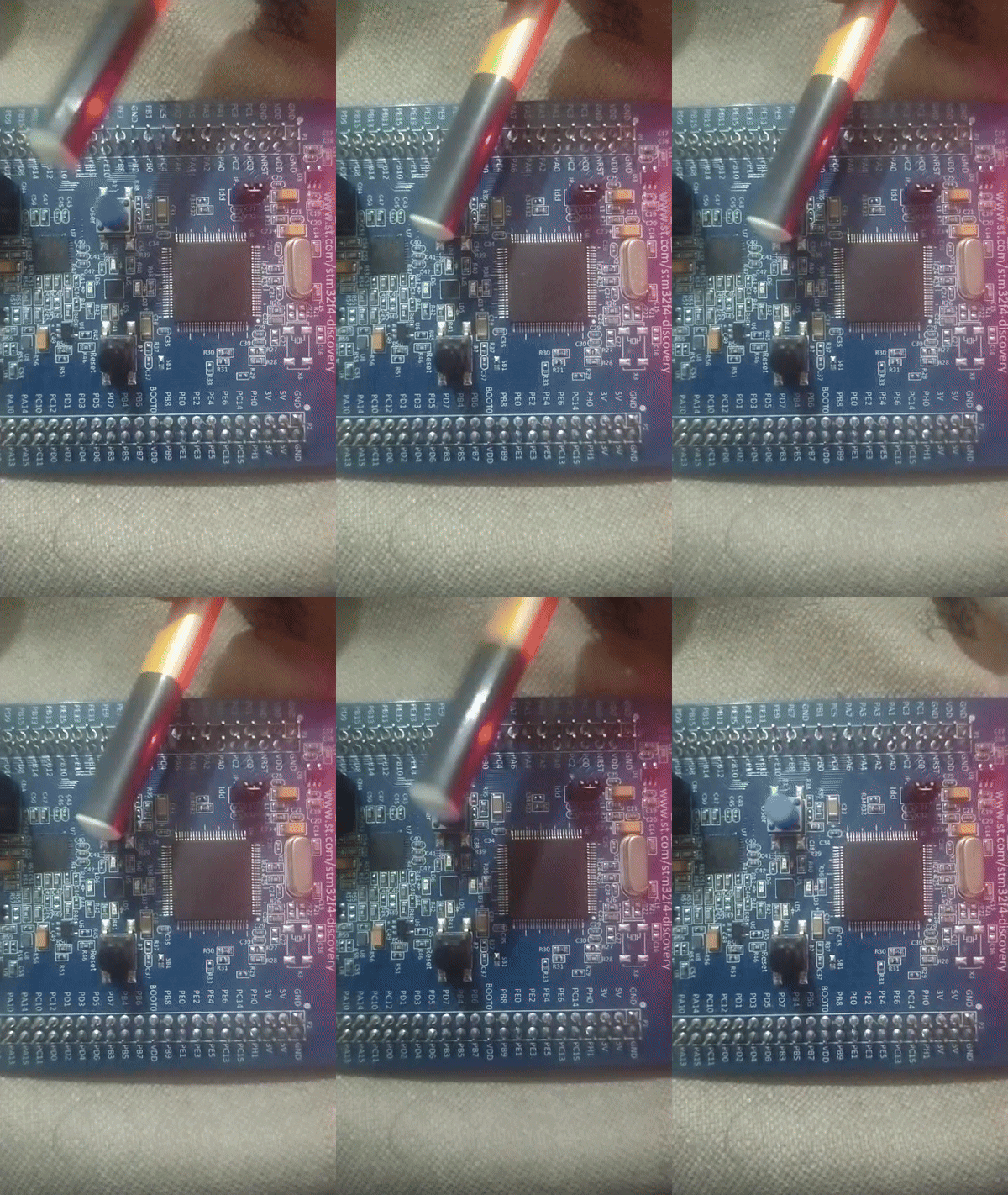
Push button pressed: LED turns ON immediately. Release button: LED turns OFF
Complete Code
#define RCC_BASE 0x40023800UL
#define RCC_AHB1ENR *(volatile unsigned int*)(RCC_BASE + 0x30U)

#define GPIO_D_BASE 0x40020C00UL
#define GPIOD_MODER *(volatile unsigned int*)(GPIO_D_BASE + 0x00U)
#define GPIOD_ODR   *(volatile unsigned int*)(GPIO_D_BASE + 0x14U)

#define GPIO_A_BASE 0x40020000UL
#define GPIOA_MODER *(volatile unsigned int*)(GPIO_A_BASE + 0x00U)
#define GPIOA_IDR   *(volatile unsigned int*)(GPIO_A_BASE + 0x10U)

int main(void) {
    // Enable GPIOA and GPIOD clocks
    RCC_AHB1ENR |= (1U << 0);  // GPIOA
    RCC_AHB1ENR |= (1U << 3);  // GPIOD

    // PA0 as input (MODER bits = 00, which is default - just verify clear)
    GPIOA_MODER &= ~(3U << 0);

    // PD12 as output
    GPIOD_MODER &= ~(3U << 24);
    GPIOD_MODER |= (1U << 24);

    while (1) {
        // Read button state from PA0
        if (GPIOA_IDR & (1 << 0)) {
            // Button pressed (HIGH)
            GPIOD_ODR |= (1U << 12);  // LED ON
        } else {
            // Button released (LOW)
            GPIOD_ODR &= ~(1U << 12); // LED OFF
        }
    }

    return 0;
}
Expected Output
User Action:
├─ Press button  → LED turns ON immediately
├─ Hold button   → LED stays ON
├─ Release button → LED turns OFF immediately
└─ Pattern repeats for each button press
Visual: LED directly follows button state with no visible delay.
Common Mistakes
| Issue | Solution |
|---|---|
| Button doesn't work | Verify PA0 is configured as input (MODER = 00) |
| LED always ON/OFF | Check if condition - maybe inverted logic |
| No response | Enable both GPIOA and GPIOD clocks |
| Flickering/noisy | Add debouncing delay (see Lab 4) |
Troubleshooting
✓ Verify: Is GPIOA clock enabled in RCC_AHB1ENR?
✓ Verify: Is PA0 cleared in MODER (input = 00)?
✓ Verify: Is PD12 set to output (01)?
✓ Test: Try hardcoding LED ON to verify basic GPIO works
Key Takeaways
✨ Important:
- Input pins must have MODER bits = 00 (cleared)
- Read from IDR register to get current pin level
- Bitwise AND (&) checks if a bit is set
- If-else logic processes input and controls output
- No debouncing yet - bouncing may cause flickering
Challenge Exercises
Challenge 1: Inverted Logic
Make the LED turn ON when button is released, OFF when pressed.
Challenge 2: Multiple Buttons
Add PA1 as another button to control PD13 (orange LED) independently.
Challenge 3: Toggle on Press
Make the LED toggle each time the button is pressed (hold doesn't toggle).
Next Steps
🚀 Ready for Lab 4? Learn software debouncing to eliminate button noise and flickering!
Prerequisites for Lab 4: GPIO input reading, Understanding timing/delays