Task 1.1: Multiple LED Blink (Modular Functions)
Now that you understand GPIO basic operation, let's apply professional software engineering practices by refactoring the blinking code into modular, reusable functions.
Learning Objectives
By the end of this task, you will:
- 🎯 Implement reusable GPIO functions
- 🎯 Understand function abstraction in embedded systems
- 🎯 Control multiple GPIO pins with elegant code
- 🎯 Apply DRY principle (Don't Repeat Yourself)
- 🎯 Write clean, maintainable embedded code
Prerequisites
- ✅ Complete Lab 1 (understand GPIO basics)
- ✅ Familiar with C functions
- ✅ Understand bitwise operations
Theory: Modular Design
Why Modular Code?
Non-Modular (Lab 1):
├─ 100+ lines of repetitive code
├─ Hard to add a new LED
└─ Error-prone copy-paste

Modular (Lab 1.1):
├─ Reusable functions
├─ Change one function = affects all LEDs
└─ Scalable and maintainable
Function Abstraction Pattern
// Instead of:
GPIOD_MODER &= ~(3 << (12*2));
GPIOD_MODER |=  (1 << (12*2));

// Create a function:
void configure_output(int pin) {
    GPIOD_MODER &= ~(3 << (pin*2));
    GPIOD_MODER |=  (1 << (pin*2));
}

// Usage:
configure_output(12);
configure_output(13);
configure_output(14);
configure_output(15);  // Scales elegantly!
Hardware Reference
| LED | Pin | Connection |
|---|---|---|
| Green | PD12 | GPIOD bit 12 |
| Orange | PD13 | GPIOD bit 13 |
| Red | PD14 | GPIOD bit 14 |
| Blue | PD15 | GPIOD bit 15 |
Demo: Sequential LED Blinking
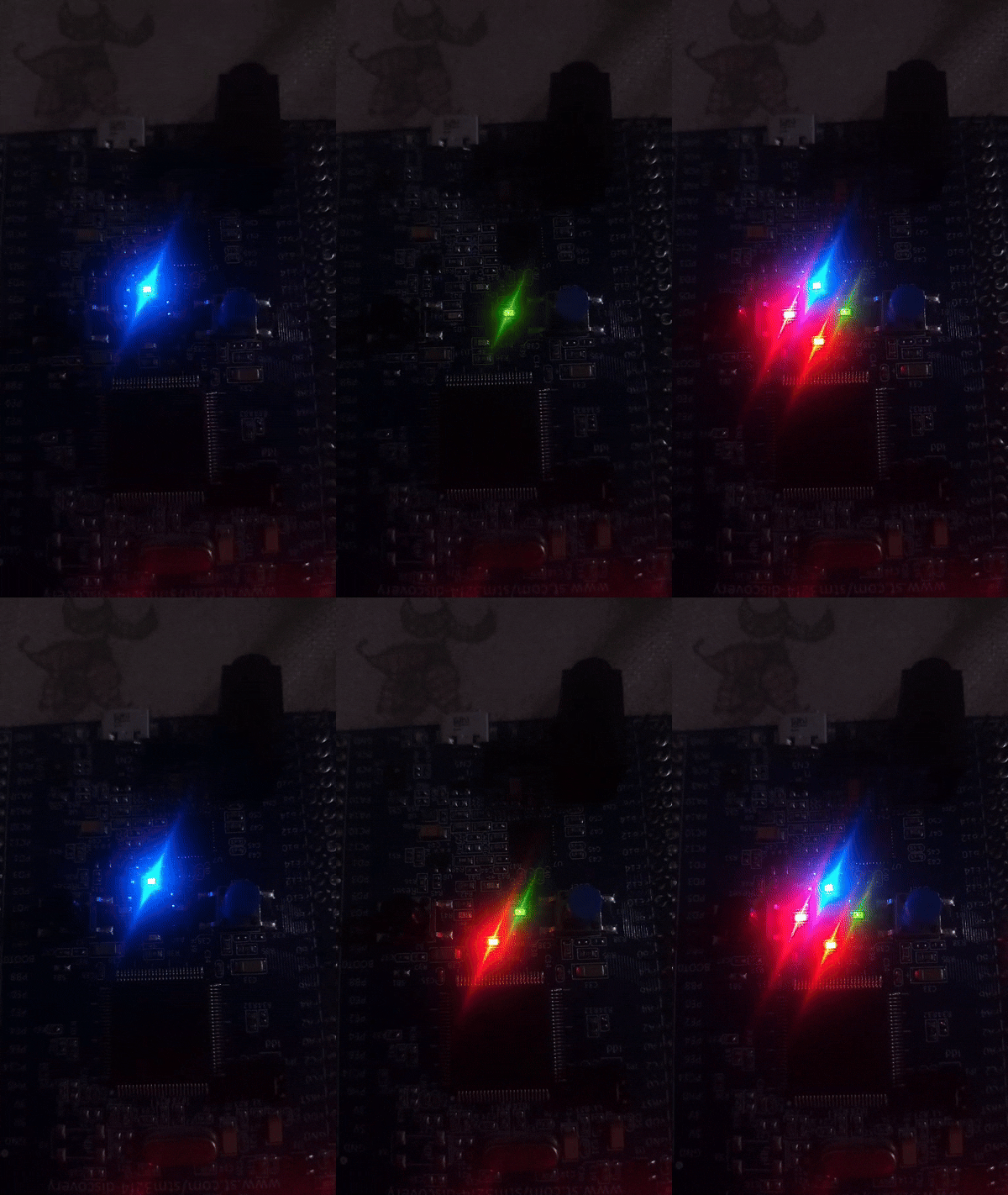
LEDs light up sequentially in a flowing pattern
The Code
// ==================== REGISTER DEFINITIONS ====================
#define RCC_BASE 0x40023800UL
#define RCC_AHB1ENR *(volatile unsigned int*)(RCC_BASE + 0x30U)

#define GPIO_D_BASE 0x40020C00UL
#define GPIOD_MODER *(volatile unsigned int*)(GPIO_D_BASE + 0x00U)
#define GPIOD_ODR   *(volatile unsigned int*)(GPIO_D_BASE + 0x14U)

// ==================== FUNCTION DEFINITIONS ====================

/**
 * Delay function - creates visible pause
 * ~150000 iterations ≈ 1 second
 */
void led_delay(void) {
    for (volatile int i = 0; i < 150000; i++);
}

/**
 * Configure a GPIO pin as output
 *
 * Parameter:
 *   - n: Pin number (12, 13, 14, 15)
 *
 * Operation:
 *   1. Clear the 2-bit mode field for pin n
 *   2. Set to 01 mode (General Purpose Output)
 *   3. Initialize pin to LOW (OFF state)
 */
void configure_output(int n) {
    // Clear the 2 bits for mode configuration
    GPIOD_MODER &= ~(3 << (n * 2));

    // Set to output mode (01)
    GPIOD_MODER |= (1 << (n * 2));

    // Initialize to LOW (LED off)
    GPIOD_ODR &= ~(1 << n);
}

/**
 * Turn on an LED (set pin HIGH)
 *
 * Parameter:
 *   - n: Pin number
 *
 * Side effect: Includes delay for visible effect
 */
void led_on(int n) {
    GPIOD_ODR |= (1 << n);
    led_delay();
}

/**
 * Turn off an LED (clear pin to LOW)
 *
 * Parameter:
 *   - n: Pin number
 *
 * Side effect: Includes delay for visible effect
 */
void led_off(int n) {
    GPIOD_ODR &= ~(1 << n);
    led_delay();
}

/**
 * Toggle an LED state (ON→OFF or OFF→ON)
 *
 * Parameter:
 *   - n: Pin number
 */
void led_toggle(int n) {
    GPIOD_ODR ^= (1 << n);
}

// ==================== MAIN PROGRAM ====================

int main(void) {
    // ========== SYSTEM INITIALIZATION ==========
    // Enable clock for GPIOD port
    RCC_AHB1ENR |= (1 << 3);

    // ========== GPIO PIN CONFIGURATION ==========
    // Configure all four LED pins as outputs
    configure_output(12);  // Green
    configure_output(13);  // Orange
    configure_output(14);  // Red
    configure_output(15);  // Blue

    // ========== MAIN LOOP - Sequential Blinking ==========
    while (1) {
        // Turn on all LEDs
        led_on(12);
        led_on(13);
        led_on(14);
        led_on(15);

        // Turn off all LEDs
        led_off(12);
        led_off(13);
        led_off(14);
        led_off(15);
    }

    return 0;
}
Execution Flow
Start
  ↓
Enable GPIOD Clock
  ↓
Configure Pins 12-15 as Outputs (all initialized LOW)
  ↓
Loop:
  ├─ led_on(12)  → PD12 HIGH, wait
  ├─ led_on(13)  → PD13 HIGH, wait
  ├─ led_on(14)  → PD14 HIGH, wait
  ├─ led_on(15)  → PD15 HIGH, wait
  ├─ led_off(12) → PD12 LOW, wait
  ├─ led_off(13) → PD13 LOW, wait
  ├─ led_off(14) → PD14 LOW, wait
  ├─ led_off(15) → PD15 LOW, wait
  └─ Repeat infinitely
Code Improvements Over Lab 1
Before (Lab 1)
// Repetitive, error-prone
GPIOD_MODER &= ~(3 << (12*2)); GPIOD_MODER |= (1 << (12*2));
GPIOD_MODER &= ~(3 << (13*2)); GPIOD_MODER |= (1 << (13*2));
GPIOD_MODER &= ~(3 << (14*2)); GPIOD_MODER |= (1 << (14*2));
GPIOD_MODER &= ~(3 << (15*2)); GPIOD_MODER |= (1 << (15*2));
After (Lab 1.1)
// Clean, maintainable
configure_output(12);
configure_output(13);
configure_output(14);
configure_output(15);
Key Benefits
| Aspect | Lab 1 | Lab 1.1 |
|---|---|---|
| Lines of Code | 30+ | 15+ |
| Readability | Low | High |
| Maintainability | Hard | Easy |
| Reusability | No | Yes |
| Bug Proneness | High | Low |
| Extensibility | Difficult | Trivial |
Alternative: Knight Rider Pattern
// Create a "cylon scanner" effect
void knight_rider(void) {
    while (1) {
        for (int i = 12; i <= 15; i++) {
            GPIOD_ODR &= ~(0xF << 12);    // Clear all
            GPIOD_ODR |= (1 << i);         // Turn on one
            led_delay();
        }

        for (int i = 14; i >= 13; i--) {
            GPIOD_ODR &= ~(0xF << 12);    // Clear all
            GPIOD_ODR |= (1 << i);         // Turn on one
            led_delay();
        }
    }
}
Common Mistakes
| Mistake | Effect | Fix |
|---|---|---|
| Forgot to clear MODER bits | Pin not configured as output | Use &= ~(3 << ...) first |
| Function doesn't match usage | Compilation or runtime errors | Check function signatures |
| Wrong bit positions | Controlling different pins | Verify bit calculations |
| Missing initialization loop | LEDs behave unpredictably | Configure all pins before loop |
Advantages of This Approach
✅ Scalability: Adding a 5th LED is one line: configure_output(16);
✅ Maintainability: Bug fix in led_on() benefits all uses
✅ Readability: Code reads like English: led_on(12); led_off(12);
✅ Testing: Each function can be tested independently
✅ Professional: This is how production embedded code is organized
Challenge Exercises
Challenge 1: All-At-Once Control
/**
 * Create an all_leds_on() function
 * Turns on all four LEDs simultaneously
 * Hint: Use bit-OR to set multiple bits at once:
 * GPIOD_ODR |= (0xF << 12);
 */
void all_leds_on(void) {
    // YOUR CODE HERE
}

// Same for all_leds_off()
Challenge 2: Custom Patterns
void pattern_pulse(void) {
    // Each LED turns on for 0.5s then off, in sequence
    // 12 ON → OFF → 13 ON → OFF → etc.
}

void pattern_chase(void) {
    // LEDs light up like a chaser: 12→13→14→15→12→...
}
Challenge 3: Blinking Separately
/**
 * Make two LEDs blink at different rates:
 * LED 12: 0.5s on, 0.5s off
 * LED 15: 1s on, 1s off (slower)
 * Hint: You'll need to structure the timing differently
 * (This is still tricky without timers—we'll solve this in Lab 8!)
 */
Expected Output
Time:  0s                  1s                  2s
       ↓                   ↓                   ↓
Pin 12 [HIGH]........ → [LOW]

Pin 13           [HIGH]........ → [LOW]

Pin 14                   [HIGH]........ → [LOW]

Pin 15                               [HIGH]........ → [LOW]

Visual: Sequential lighting, then all-off, repeats
Best Practices Learned
✨ Key Points:
-
DRY Principle - Don't Repeat Yourself
- Write once, use many times
-
Function Abstraction - Hide complexity
- Caller doesn't need to know register details
-
Clear Naming - Code readability
led_on()is obvious;GPIOD_ODR |=is not
-
Parameter-Driven - Generic functions
- Same
led_on()works for any pin
- Same
-
Documentation - Comment the interface
- Future you will thank present you
Next Steps
🚀 Ready for Lab 2? You'll learn Bitwise operations with dual LED toggling and create interesting visual patterns!
Skills You'll Need for Lab 2
- ✅ Comfortable with functions
- ✅ Understand XOR operation (^)
- ✅ Can modify delays
Pro Tip: Save this function library! You'll reuse these functions throughout all future labs!